Welcome to the IOSH online community platform
This is the go-to place for you to connect with fellow health and safety experts in your field, receive advice on best practice or chat about the latest trends.
How to log in
Welcome to our community! Access is currently invite-only.
Step-by-step instructions:
- Watch for your invite: You’ll receive an email invitation once you've been granted access to the community.
- Click ‘Log In’: Go to the community login page and click the ‘Log in’ button.
- Enter your credentials: Use the email address and password linked to your MyIOSH account.
- Start exploring: Once logged in, you can:
- View and join community discussions
- Complete your profile
- Connect and collaborate with other members
If you haven’t received your invite yet, please wait until the email arrives before attempting to log in.
Your home feed
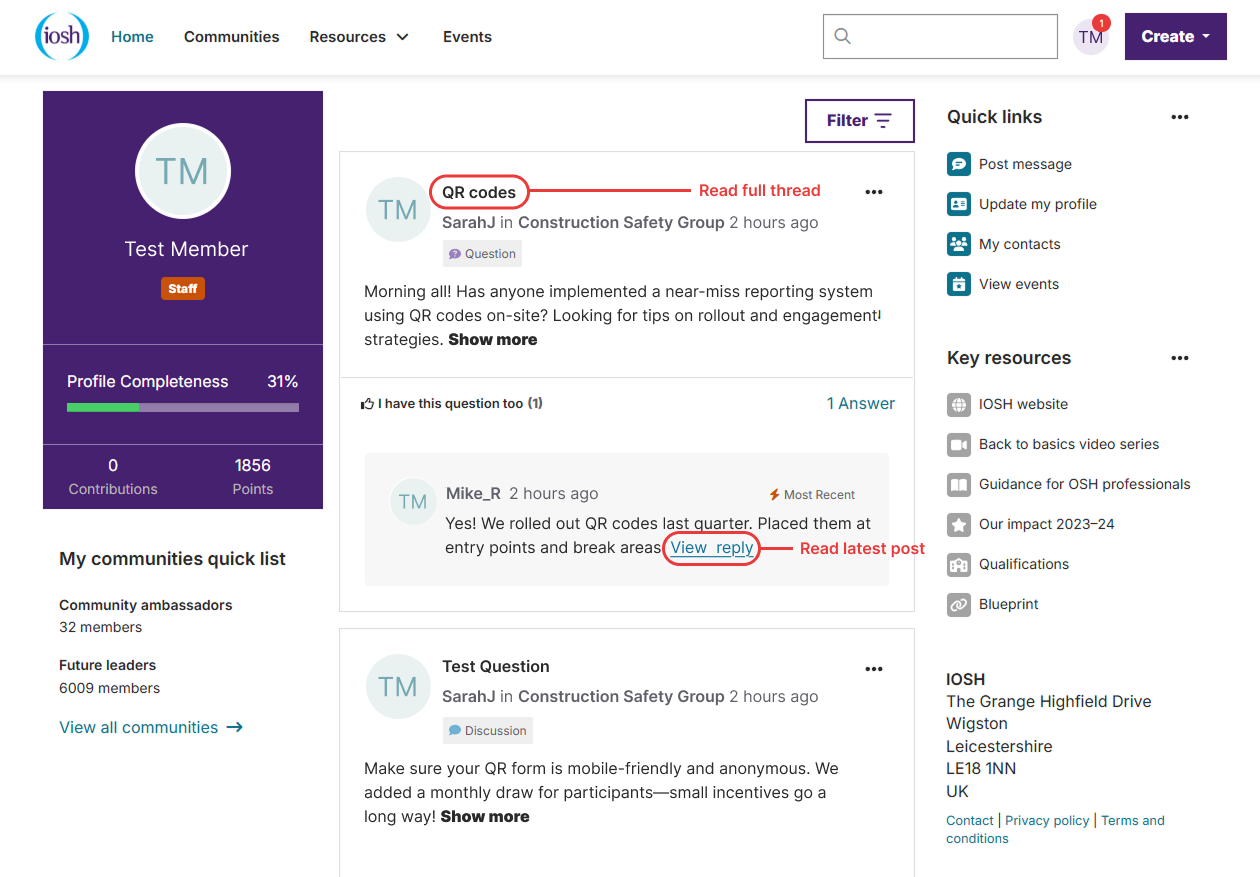
This is your main landing place once you log in.
The left-hand column shows your profile summary, the communities you have joined and your recently followed content.
The middle column shows you the latest discussions, events and resources from your communities.
- Click the discussion subject to see the full thread or click ‘view reply’ to go to the latest post.
The right-hand column gives you quick links to items you’re likely to need. It also highlights forthcoming events and resources.
Your profile
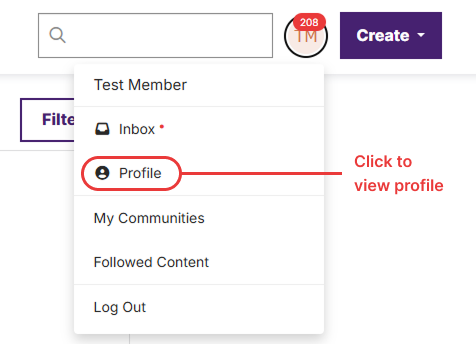
Access your profile by clicking on the Profile panel at the top left of the main Activity feed or by clicking the small profile picture at the top right of the screen and then selecting “Profile”.
- Add your head-and-shoulders photo
- Add your short bio details
- Enter the demographic information
Customise your profile settings
On your profile page, click on the tab for My Account > Community notifications. Here, you can set up:
- how you want to receive emails from the community
- how much of your profile you want visible to other members
- the signature area that appears under your posts.

Email delivery options
For each community you’ve joined you can choose:
- Daily digest: Email daily for each community. This option also allows you to reply to the discussion via email without logging in.
- Real-time: Instant alerts for each post.
- Daily consolidated: Combines all selected communities into one daily email.
- Weekly consolidated: Combines all selected communities into one weekly email.
- Note: For consolidated digests, you must set the Discussion email dropdown to “No Email”.
To post a message
- Select “Create” in the top right corner of the page and choose “Discussion thread”.
- Select the community you want to post to from the drop-down list of communities you’ve joined.
- You can choose two posting styles.
- Discussion: For open-ended conversations. Examples:
- What’s the best way to…
- How does your organisation…
- Question: When you’re looking for a factual answer. Examples:
- How can I turn on a specific feature...
- Where can I find a resource on…
- You can upload attachments, which will be added automatically to the specified community library.
- You can @mention other IOSH community members.
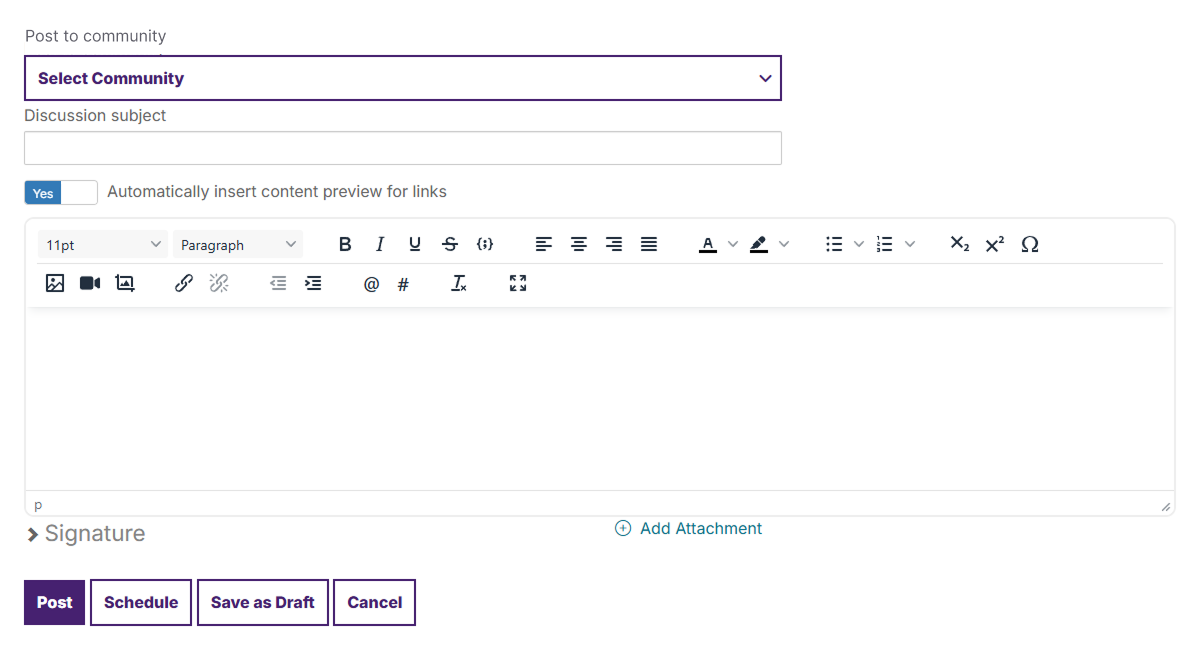
- Save drafts: You can save a draft of the post. The system automatically starts saving your message as you type.
- Schedule posts: You can schedule a post to go live at a certain time.
- See your scheduled posts and drafts at your Profile > My Contributions tab > List of Contributions.
To reply to a discussion or question
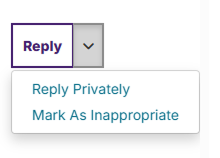
- Reply: Reply to the entire thread.
- Reply privately: Send a private response to the member’s community inbox.
- Mark as inappropriate: If a member’s post clearly violates our Terms and Conditions you can flag it for review by our team.
Get started
- Ask questions: If you want to know more about anything, from professional development to everyday problems, ask a question and it’s likely someone will have the answer.
- Share ideas: Start a discussion thread to share a lesson you’ve learned that might help your fellow members or talk about a hot topic.
- Give feedback: Use your knowledge and experience to answer other members’ questions. Just click Reply to the right of any discussion post or comment underneath a library entry.